How to Download Geometry Dash (Android, iPhone & PC) – Step-by-Step
Wondering how to download Geometry Dash on your phone or computer? This step-by-step tutorial covers Android, iPhone and PC, with screenshots for every step of the Geometry Dash install process.
It takes about two minutes. Pick your device below and follow along.
Where to Download Geometry Dash
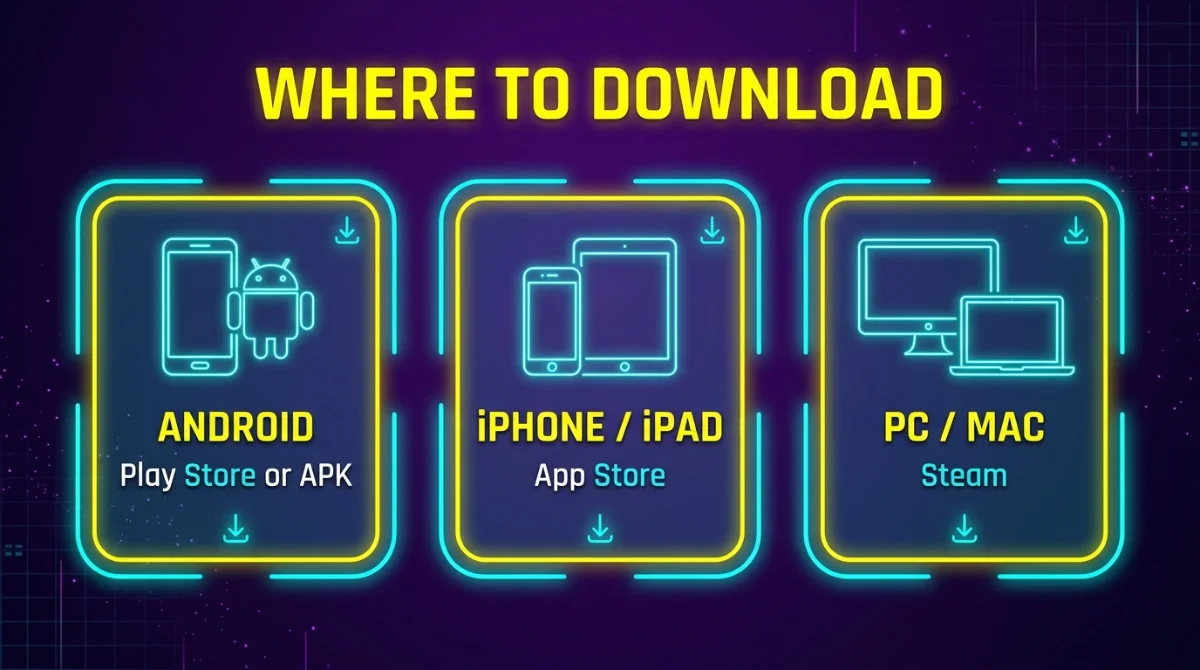
- Android: Google Play Store, or a trusted APK file.
- iPhone / iPad: Apple App Store only.
- PC / Mac: Steam.
Geometry Dash Install on Android (Google Play)
- Open the Google Play Store.
- Search for Geometry Dash by RobTop Games.
- Tap Buy/Install and wait for the download to finish.
- Tap Open to start playing.
This is the easiest and safest Geometry Dash installation method, and updates install automatically.
How to Install Geometry Dash APK on Android
Using an APK file is handy if Play Store isn’t available in your region or you need a specific version. You don’t need a separate Geometry Dash installer app; Android installs the APK itself.
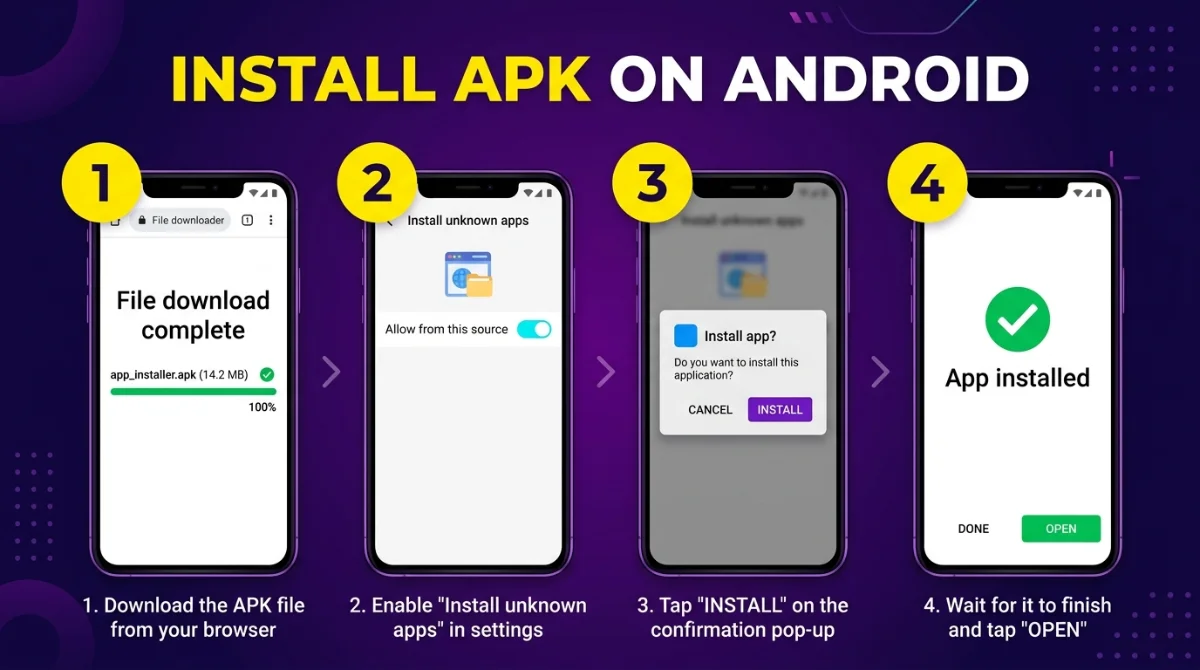
- Download the APK from a trusted source and wait until it shows Download complete.
- Allow unknown apps for your browser or file manager when Android asks.
- Open the file and tap Install.
- Tap Open and check that sound, controls and levels load properly.
How to Allow Unknown Apps (Android 8+)
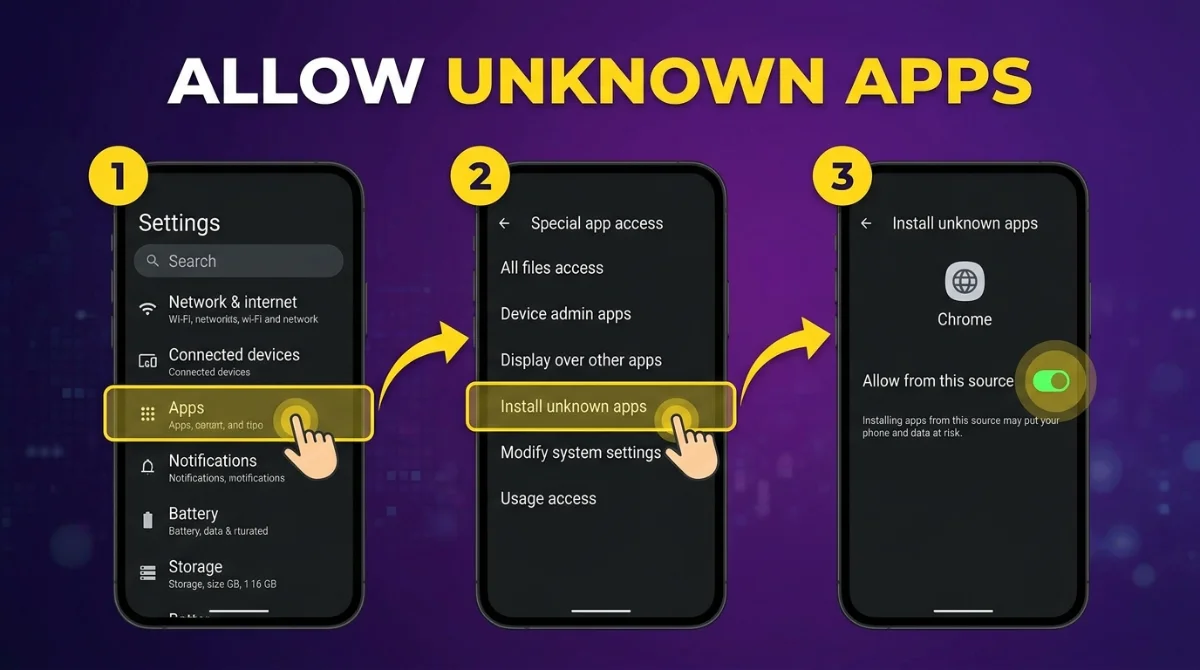
- Go to Settings → Apps.
- Open Special app access → Install unknown apps.
- Choose your browser (for example Chrome) and turn on Allow from this source.
Turn this setting off again after installing for extra safety.
How to Download Geometry Dash on iPhone and iPad
- Open the App Store.
- Search Geometry Dash and tap the price or Get.
- Confirm with Face ID, Touch ID or your password.
APK files only work on Android, so iPhone users always need the App Store version.
How to Download Geometry Dash on PC
- Install Steam and sign in.
- Search Geometry Dash in the Steam store.
- Buy it, then click Install from your Library.
How to Download Geometry Dash for Free
The full game is paid, but these official options let you play free, legally:
How to Get Geometry Dash for Free
- Geometry Dash Lite – free, includes the first official levels.
- Geometry Dash World – free spin-off with short levels.
- Geometry Dash SubZero and Meltdown – free spin-offs with their own music.
How to Download Geometry Dash Full Version for Free
There is no official free full version. Sites offering a free full version, or links on hosts like Mediafire, are usually modified files that can contain malware or break your saves. The safe way to get Geometry Dash full version for free is to play Lite first and buy the full game when it’s on sale, which happens often on Steam and the mobile stores.
Common Install Problems and Fixes
- App not installed – free up storage or uninstall an older conflicting version.
- Parse error – the APK is corrupted or too new for your Android version; download again.
- Blocked by Play Protect – only continue if you trust the source; otherwise use Play Store.
- Game crashes on launch – restart your phone and reinstall the latest version.
FAQs
Is it safe to install a Geometry Dash APK?
Yes, if it comes from a trusted source and you scan it first. Avoid modified or cheat APKs.
Do I need to uninstall the old version before updating?
No. Install the new APK over the old one, but save your account data first.
Can I play after installing without internet?
Yes. Official levels work offline; online levels need a connection.
Final Words
Now you know how to download Geometry Dash on any device. For version details and the latest changelog, see our Geometry Dash latest version guide.